From photo filter to drawing lesson
A finished picture is a lousy API for a drawing lesson. It tells you what color each pixel should be, but it doesn’t tell you which mark a finger should reveal, how far along a line someone has drawn, or what to do when they lift the pen halfway through.
Dryerasiac turns photos into dry erase art, then lets you draw the result. Following its commits from September 29 through October 9 shows those two jobs pulling the implementation toward the same representation: keep the strokes that make the picture, and use them to run the lesson. That change reaches from the renderer into touch handling, progress, and eventually the native paint code on two platforms.
A picture to aim for
The studio pair gives the problem some teeth. The source has a face, lettering, a bright map, reflections, and enough fine texture to make an edge detector very busy. The supplied illustration simplifies those details into marker strokes. These are the original and the artistic reference; the right-hand image is not an output of the shipping converter.
Source photo
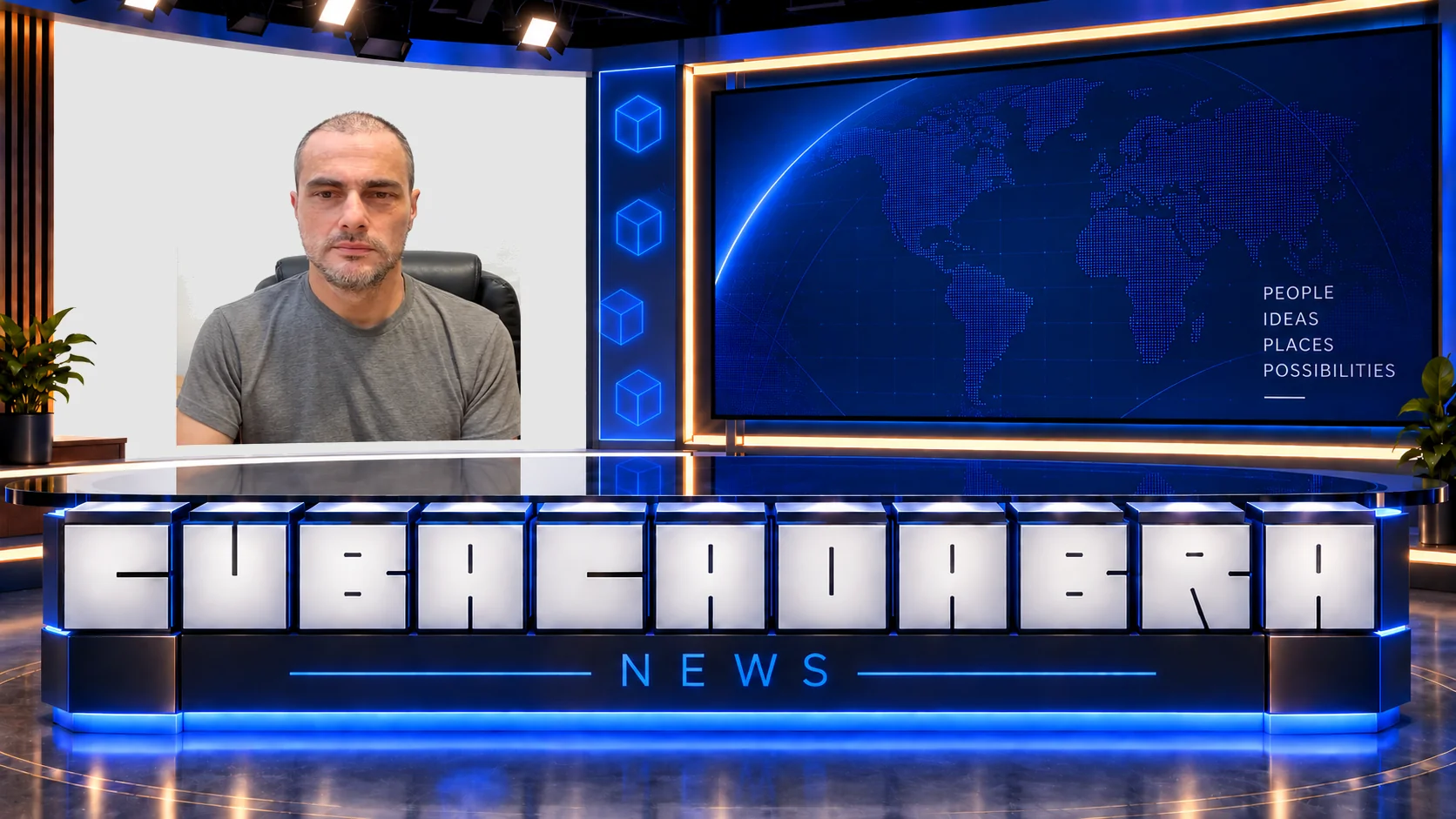
Artistic reference

Matching the illustration is already a hard rendering problem. Teaching it adds another constraint: thousands of plausible little marks can make a miserable lesson. Nobody wants to complete every speck individually just because the converter found it.
The September 29 “magic” commit addresses exactly that tension. Its Swift lesson code scales the travel needed for detailed pictures, carries unused movement into the next line, and keeps partial progress when the pen lifts. The comment is refreshingly direct: detailed photos should take a few dozen broad sweeps, even when they contain thousands of marks. That’s a design target in the code, not a measured completion time.
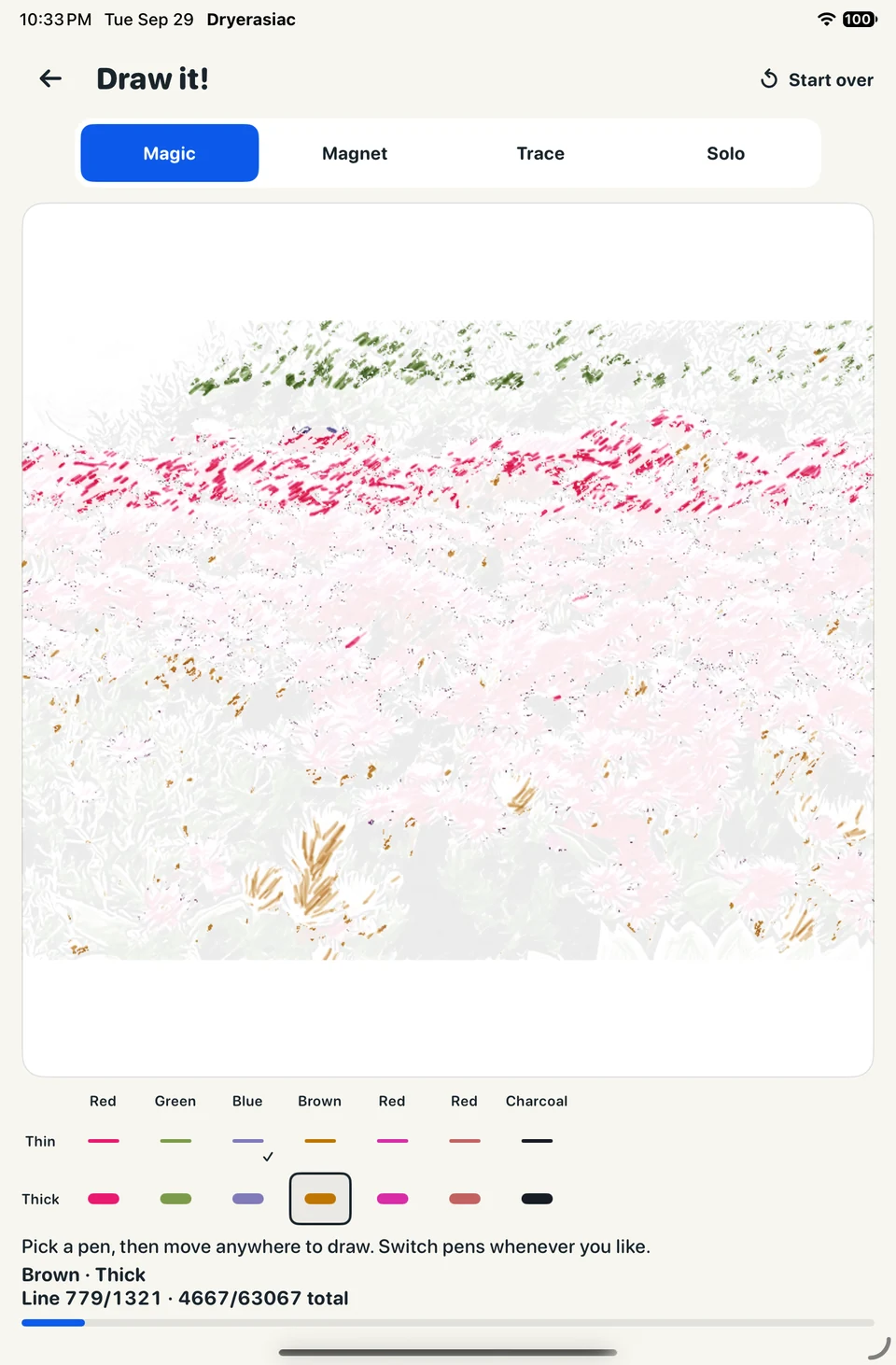
This September 29 screenshot shows the early interface, including the problem’s scale: 63,067 total marks, with separate colors and nib sizes. It predates the Rust integration and the later automatic color selection.
Keep the strokes behind the pixels
On September 30, one “rust” commit introduces a shared core and a drawing-plan schema. The next adds contours, palettes, regions, and strokes. The important thing about the output is that it survives as geometry. A native painter can turn it into a bitmap without destroying the information the lesson needs.
Each stroke has points, a nib width, opacity, an ink, and a paint order. The schema also distinguishes fills, hatching, contours, and highlights. Paint order matters: a white highlight drawn after a blue patch has a different job from white board underneath it.
The lesson follows the renderer into Rust that afternoon. Commit 67f4af8 adds the Magic engine and bridge calls; 56f66f1 connects the Swift lesson to it. Later that day, Trace grading moves into the core too.
That lets both apps ask the same lesson engine what a gesture accomplished. Swift and Kotlin still collect touches and paint the board. They don’t each need their own answer to whether a stroke is finished. The production photo path now builds its lesson directly from the returned plan; raster-to-lesson adapters remain for offline review.
“Rust” doesn’t mean the bug is in Rust
The October 9 commit titled “rust” changes no Rust files. It changes Android drawing code and adds Android tests. Commit messages are doing the bare minimum here.
The fix makes the board’s composition explicit: paint white, paint the faint reference while the lesson is unfinished, then multiply the white-backed ink bitmap over it. The minimap uses the same helper. A shared engine can return the correct strokes while a platform still gets the pixels wrong.
The new test makes this easy to inspect without a complicated photo. It uses a red preview with white sample pixels and a blue lesson stroke, draws onto a transparent software canvas over a black view background, and checks the resulting colors. The faint red must land near (255, 219, 219); completed blue must stay blue; the finished board must lose the reference.
These are the final assertions from that test. By this point the lesson has been completed, and the test has switched back from the source view:
board.showingSource = false
board.drawingFinished = true
board.draw(Canvas(rendered))
assertEquals(Color.WHITE, rendered.getPixel(20, 20))
Checking one white pixel sounds boring. It’s also a much better specification of “hide the guide when finished” than hoping someone notices a faint tint in a screenshot.
The part the architecture can’t settle
Keeping the plan makes rendering and interaction easier to connect, but it doesn’t decide which marks deserve to exist. A lesson can reconstruct every planned stroke and still be tedious. A converter can preserve a face’s edges and still make a bad portrait.
The benchmark notes keep those questions separate. Nine photo pairs and a separate studio fixture provide review material, not proof of arbitrary-photo quality. Teacher-generated illustrations test possible artistic directions; they haven’t become a learned component in the shipping converter. “Try the example” sends the original photo through the same offline Rust path as a selected photo.
What these commits establish is a useful place to work on the remaining problem. A better choice of contours or shading can now become both a better preview and different lesson geometry. The next quality improvement has to earn its place twice: the picture should look worth drawing, and drawing it should feel worth finishing.